
Why blocking a card takes more than a list of card numbers
If a card is stolen and you already know it, why does blocking it need anything more than a list of card numbers?
Because you cannot keep the card number. What you store is a keyed hash of it, and a keyed hash catches one card and nothing else. That works beautifully against the fraudster who comes back with the same card, and not at all against the one who never uses the same card twice.
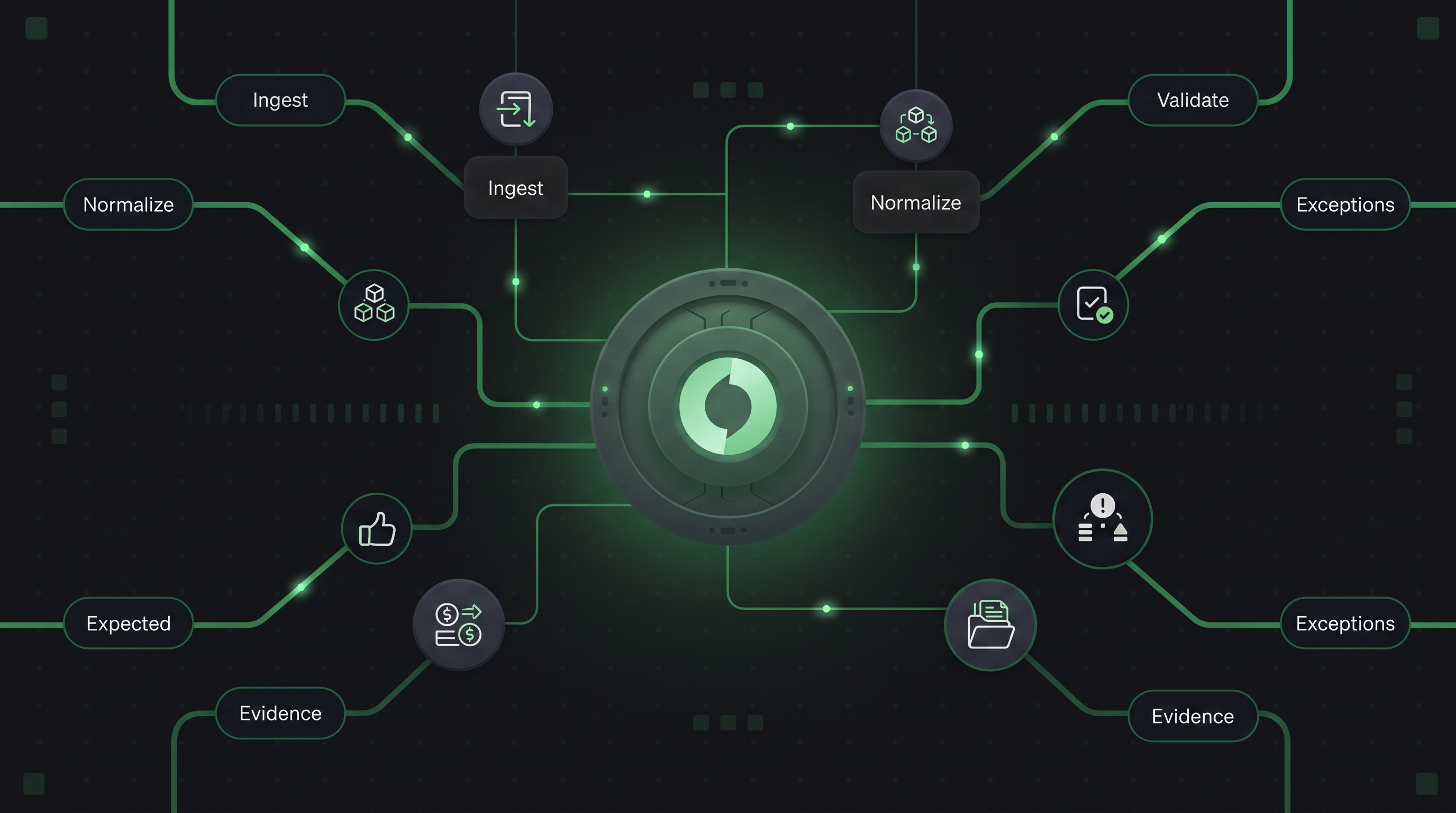
So Hyperswitch splits the problem in two, and the two halves work in opposite directions. The blocklist is a list you write by hand: name a card, a BIN, or a range, and Hyperswitch rejects it on sight. The Card Testing Guard counts failed attempts, grouped by card and IP address, or by customer ID, and once a count reaches the threshold you set, it starts rejecting that group. People call both of them blocking. In code they share almost nothing, and confusing them is how merchants end up with a fraud control that never fires.
The second half exists because of enumeration. An attacker points a script at your checkout and pushes thousands of guessed card numbers through it, keeping the handful that authorize and discarding the rest. Every attempt is a card you have never seen, so there is nothing to put on a list. What repeats across the attack is not the card: it is the IP address, the session, the failures piling up behind them. Those are countable, and counting them is the whole defence. Visa's Payment Ecosystem Risk and Control team reported that enumeration drove roughly US$1.1 billion in follow-on fraud over a one-year period, with enumerated transactions up 22% against the prior six months (Visa PERC Biannual Threats Report, Spring 2025).
The short version
If you read nothing else:
- The blocklist holds card BINs, extended card BINs, and card fingerprints. All three live in one table and all three report the same block reason, BlockedBin, when they fire.
- A blocklist fingerprint is a card fingerprint, keyed by a merchant secret. It has nothing to do with devices, IPs, or browsers.
- A blocked payment fails with error code HE-03 and an HTTP 200. No connector is ever called.
- The Card Testing Guard is a separate system with a separate secret. It runs four Redis counters and rejects with "Blocked due to suspicious activity."
- The guard's counters increment on any terminal payment failure, not only suspicious ones. Its thresholds are the only thing separating fraud prevention from rejecting real customers.
- Both the blocklist and the guard are off by default, and the blocklist has to be on before the card you want to block ever transacts.
Blocklist or Card Testing Guard: which is which
| Blocklist | Card Testing Guard | |
| Who writes the entries | You, over the API | Redis counters, on failed attempts |
| What it matches | Card BIN, extended card BIN, card fingerprint | Failure counts against card, IP, customer ID |
| Where config lives | Blocklist table plus profile config | Card testing guard config on the profile |
| Secret used | Merchant fingerprint secret | Card testing secret key |
| Error on match | HE-03, message from the block reason | "Blocked due to suspicious activity" |
Two secrets, two fingerprints, two error paths, and nothing wired between them. It is an easy line to skim past, so here is what it costs you in practice. A card sitting on your blocklist has no card testing history behind it. And a card the guard has been counting failures against will never show up on your blocklist unless you go and put it there yourself.
What can you put on a Hyperswitch blocklist?
Three kinds of things, at three levels of precision, and each is validated differently on the way in.
- A card BIN is the first six digits of the card, which identify the network and the issuing bank. Hyperswitch requires exactly six ASCII digits and rejects anything else with an "expected a 6 digit number" error. At payment time it compares against the first six digits of the incoming card. This is the bluntest instrument available, and it blocks every card that bank ever issued.
- An extended card BIN is the first eight digits, which narrows the block from a whole issuer down to a card product. Exactly eight digits, same rejection path. Reach for this when a particular prepaid product is the problem and the issuer is not.
- A fingerprint names one card, without ever writing down its number. It is a keyed hash, computed from the card number and a secret belonging to the merchant. The block request calls this a fingerprint, while the database row records it as a payment method, and that is the one place the two names diverge.
All three land in the same table, keyed on the merchant plus a single column named fingerprint_id. A BIN sits there in plain digits. A card fingerprint sits there as its hash. That shared column is convenient for storage and lossy for everyone downstream, a point that comes back when we look at what a block actually reports.
Duplicates are rejected at insert. Block a BIN that is already blocked and Hyperswitch answers "provided bin is already blocked." Do the same with a card and you get "data associated with the given fingerprint is already blocked."
None of this runs until you switch it on. A per-merchant flag called the blocklist guard gates the entire feature, and it resolves to off three separate ways: the config lookup defaults to "false" when no row exists, a value that fails to parse falls back to false, and a database error is logged and falls back to false. The gate fails open, so nothing gets blocked when Hyperswitch cannot tell whether blocking was wanted. Hold onto that, because it has a consequence nobody expects.
Is the blocklist fingerprint a device fingerprint?
No, and the name invites the mistake. The blocklist fingerprint is derived from the card number and a secret that belongs to the merchant, and from nothing else. No IP address, no user agent, no browser signal. It cannot follow an attacker across cards, and it was never built to. That job belongs to the Card Testing Guard.
The secret comes from Superposition, the configuration service Hyperswitch uses to manage settings per merchant without redeploying. There is one such secret per merchant, and it produces one private namespace of hashes underneath it, which is exactly how the blocklist is organised: every entry is scoped to the merchant who created it. Two merchants blocking the same physical card store two different fingerprints and never see each other's.
That secret is worth understanding, because it shapes three behaviours that surprise people, and none of them is obvious from the outside.
A missing secret can block payments that never needed it. The blocklist path reaches for the secret early, before it has even established that the payment is a card. So a wallet payment, which never uses a card fingerprint at all, can still fail outright on a merchant whose secret was never set up. The blocklist errs on the side of stopping the payment. Worth contrasting with the Card Testing Guard's guest IP check, which errs the other way: if its lookup has trouble, it lets the payment through rather than risk rejecting a real customer. The blocklist would rather fail closed. That one guard counter would rather fail open.
Rotating the secret silently empties your blocklist. The fingerprint is a keyed hash, and that secret is the key. Change the key and every card already on your blocklist stops matching, because the same card now produces a different hash. The old entries do not error or disappear. They just quietly stop catching anything. A card you blocked last quarter sails through, nothing warns you, and the only trace is a table full of hashes that no longer point at real cards. Rotating this secret is not a routine operation, and it should be treated as rebuilding the blocklist from scratch.
The blocklist has to be on before you need it. This is the one that catches teams out. Whenever a payment is allowed through, Hyperswitch quietly computes its fingerprint and records it on the payment attempt. That recorded fingerprint is the thing you later copy into a block request, and it is the only handle you will ever have on that card, since you never got to keep the number. But the fingerprint is only recorded while the blocklist feature is switched on. A merchant who turns it on only after an attack has no fingerprints sitting in their history to reach back for. The offending payments are there, but the field you need is empty. To block a card tomorrow, the feature had to be running when that card paid you today.
What happens when a blocklist match fires?
When a payment comes in, Hyperswitch checks all three kinds of entry at once: the card's fingerprint, its six-digit BIN, and its eight-digit BIN. Any one of them matching is enough to block the payment.
This is where that shared storage catches up with you. Whichever of the three matched, the block is recorded under the same reason, BlockedBin, even when what actually matched was a single card's fingerprint. So if something downstream is reading that reason to work out whether you blocked one specific card or a whole issuer's range, it can't tell. The reason field simply doesn't carry that distinction.
A blocked payment is then closed out cleanly. It is marked failed, tagged with the error code HE-03 and a message explaining why, and returned to the caller as a blocked payment: HTTP 200, status Failed, reason Blocked.
That 200 surprises people, so here is what it means. The request itself was fine, and Hyperswitch processed it and decided the answer was no. That is a successful outcome for a blocking system, not an error, which is why it is a 200 and not a 4xx. And it stops there: no payment processor is ever contacted, so the card never reaches your acquirer and you are never charged a processing fee for a payment you already refused.
How do you block cards you have never seen?
Everything above only knows cards you have already met. For the rest, the business profile carries a payment method blocking config, and Hyperswitch consults it only after all three explicit lookups have missed. This is where you stop naming cards and start describing them.
The card half of that config holds four sets of values to block, plus one switch:
- Issuing country, as ISO 3166-1 alpha-2 codes. A match records BlockedIssuerCountry.
- Card type, meaning credit or debit. A match records BlockedCardType.
- Card subtype, which is where prepaid lives. A match records BlockedCardSubtype.
- Issuer. A match records BlockedIssuer.
- Block if BIN info is unavailable, which defaults to false, so an unrecognised BIN goes through unless you say otherwise.
Hyperswitch checks these in the order listed and stops at the first match. Country beats type, type beats subtype. A card blocked on two attributes reports only the first, so the recorded reason tells you which rule fired first rather than which rules the card violated. Unlike the shared BlockedBin above, these reasons are at least distinct from one another.
The issuer check is the odd one out, and it fails quietly. The profile stores card issuer IDs, while the card info table stores issuer names. So Hyperswitch parses your configured strings into issuer IDs, resolves those IDs to names, and compares the names. Any string that fails to parse as an ID is dropped without complaint. Configure an issuer name where an ID belongs, or fat-finger an ID, and nothing errors. The rule simply never fires, which is the worst way for a fraud control to fail.
All of this depends on Hyperswitch recognising the BIN at all. If the card info lookup comes back empty, every attribute rule is skipped and the decision collapses to a single question: does this merchant block unrecognised BINs?
How does wallet blocking work?
Wallets get a smaller config of their own. For Apple Pay and Google Pay, the profile carries a set of card types to refuse, with helpers that answer "is credit blocked" and "is debit blocked."
The reason it is smaller is that a wallet does not hand you a BIN, so you cannot block one by range. The funding card type is what you get, and the funding card type is what you filter on. It also means wallets skip the Card Testing Guard entirely, since that only runs for raw card payment method data.
How does the Card Testing Guard decide to block?
Four counters, each keyed on something different, each with its own threshold. All four are off by default.
| Strategy | The counter is keyed on | Default threshold |
| Card IP blocking | card fingerprint, IP address | 3 |
| Guest user card blocking | card fingerprint | 10 |
| Customer ID blocking | profile ID, customer ID | 5 |
| Guest IP blocking | profile ID, IP address | 10 |
Those thresholds, and the counter lifetime of one hour, live in common_utils::consts.
Read that table as four independent counters rather than four views of one, because the names mislead. Card IP blocking counts failures for a specific card paired with a specific IP. It does not count how many IP addresses a card has been seen from, which is the reading the name invites. An attacker who rotates IP addresses gets a fresh counter on every hop and never reaches 3.
That gap is why guest IP blocking exists, and the code shows it arrived late. Of the guard's eight config fields, only the two governing guest IP blocking carry serde defaults, and you add serde defaults when appending fields to a struct whose JSON is already sitting in production rows. Guest IP blocking drops the card out of the key and counts failures per IP alone, so rotating cards behind one address stops buying the attacker anything.
The guard's fingerprint is a different object from the blocklist's, despite the shared name. This one is an HMAC-SHA512 of the card number, keyed by a card_testing_secret_key hanging off the business profile, and hex encoded. Different secret, different store, and if that key is unset the guard errors with "card testing secret key not configured."
Three behaviours are easy to miss.
- Guest user card blocking checks nothing when a customer ID is present. It builds its cache key, hands it back, and skips the threshold check. The name says guest user, and the code means it.
- Guest IP blocking runs only for guests, and it is the one counter that swallows its own errors. A genuine block propagates, while any other failure is logged and treated as a pass, so a Redis blip lets the payment through rather than rejecting a real customer. The other three counters propagate whatever they hit. Card IP blocking, which shares the word IP in its name, fails closed.
- The threshold is inclusive, and the counter lags the check by one attempt. The comparison is count >= threshold, not greater than. The check runs before Hyperswitch calls the connector, and the increment runs after the connector answers, so each attempt reads the counter, transacts, then bumps it. Three failures leave the counter at 3, and the fourth attempt is the first to see 3 >= 3 and get rejected. With card IP blocking's default of 3, an attacker gets three tries, not two.
There is a fourth thing, and it is the one that should govern how you tune this. What counts as a failure is broader than the name Card Testing Guard suggests. The increment fires on one condition: the payment attempt came back with status Failure. Not a suspicious failure, not a fraud-shaped failure, any terminal failure at all. A real customer whose card declines three times for insufficient funds, from their own home IP, walks into the same counter a script does, and on the fourth try Hyperswitch tells them their payment was blocked due to suspicious activity.
Seen that way, the defaults start to make sense. Card IP blocking sits at 3 because one card repeating a decline from one IP three times is unusual. Guest user card blocking sits at 10 because a card alone, across any IP, has far more innocent reasons to fail. Set these low and you will reject customers. Set them high and you will let a slow attacker walk.
Counters increment once per enabled strategy, each stamped with the configured expiry, and increment failures are logged rather than raised. The guard would rather undercount than break a payment.
Why a 429 is not a fraud signal
Hyperswitch returns 429 from two places that have nothing to do with any of the above, and both get mistaken for blocking.
Rate limiting. The documented default is 80 requests per second across all Hyperswitch APIs, raised on request through biz@hyperswitch.io.
API locking. Also a 429, though the body tells you which one you hit. If the message begins "At this moment, access to this object is restricted due to ongoing utilization by another API request," a concurrent operation holds the object, and you should retry.
Both are stability controls. Neither records a block reason, neither sets HE-03, and neither is a fraud signal. Counting 429 responses as fraud events will corrupt your fraud metrics and send you tuning thresholds against traffic that was never hostile.
Which control should you use?
It comes down to how much you can say about the card in front of you.
If you can name the card, use the blocklist. Copy the fingerprint off the payment attempt and post it, remembering that the guard had to be running when that attempt happened.
If you can name a range, use the BIN, six digits or eight, depending on how sharp you need the cut.
If you can name a property, use payment method blocking: a prepaid subtype, a country you do not sell into, an issuer you have written off.
And if you cannot name anything, because the attacker holds a fresh card every time, turn on the Card Testing Guard and let the counters find them. That is the traffic Visa's enumeration figures describe, and it is the only one of the four where the list writes itself.
You can catch the video on blocklist here: https://www.youtube.com/watch?v=9CAg0V0g2wE&feature=youtu.be