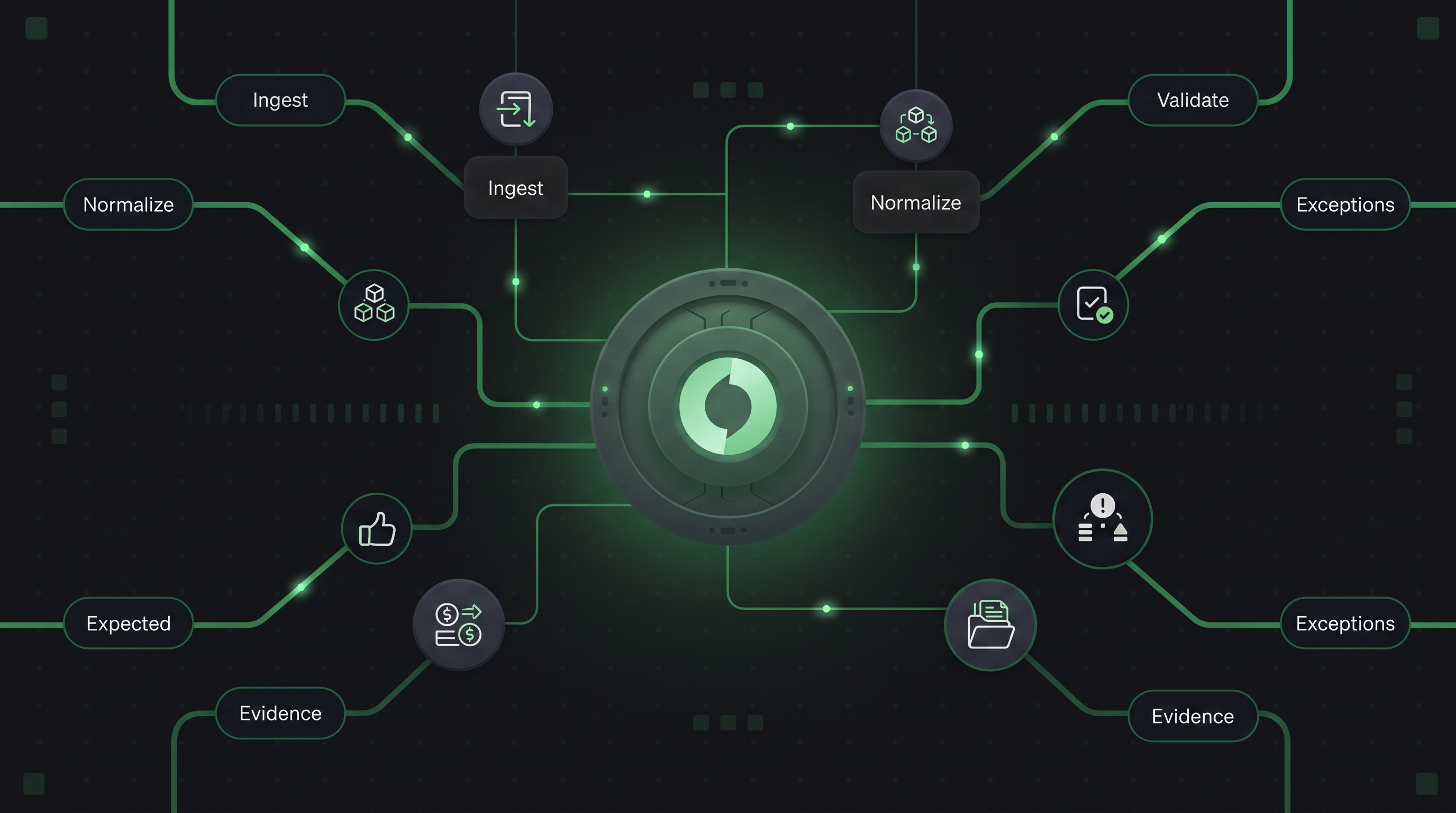

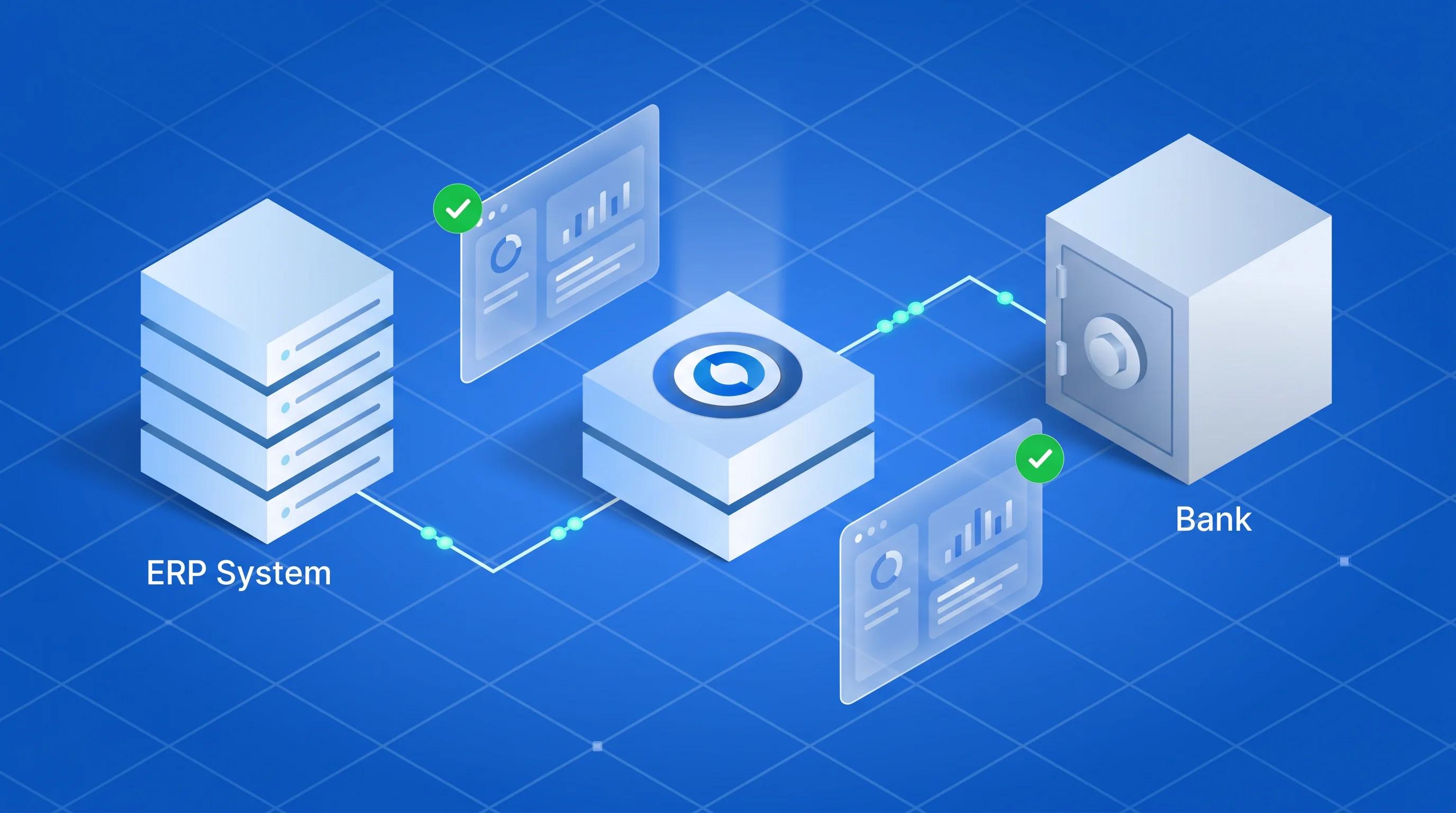
In a payment reconciliation stack for US merchants, the data flow from order to bank settlement passes through three independent systems - ERP/OMS, PSP, and bank and involves two distinct matching problems. Leg 1 matches each order record from your ERP or OMS against the corresponding PSP settlement entry, typically 1:1 on transaction ID. Leg 2 matches PSP settlement batches against bank deposits - 1:1 or N:1, because settlements may consolidate multiple transactions into a single bank credit with a single batch reference. These two legs use different matching cardinalities, fire at different times, and fail for different reasons. Hyperswitch's reconciliation engine handles both legs with independently configurable rules, a double-entry ledger that makes every dollar traceable from order event to bank posting, and automated exception detection with team-level assignment and full SLA visibility.
Why US merchant reconciliation breaks at scale
Payment reconciliation failure: The inability to match transaction records across systems - ERP, PSP, and bank resulting in undetected revenue leakage, settlement discrepancies, and audit gaps. For US merchants processing through multiple PSPs, the failure modes are structural, not operational.
Three conditions make reconciliation at scale genuinely hard for US merchants:
Format fragmentation at ingestion. Each PSP delivers settlement files in its own format on its own schedule. Stripe delivers daily CSV exports via API. Adyen delivers ISO 20022 XML or CSV files via SFTP. Braintree delivers pipe-delimited transaction reports. A new PSP adds a new format, a new field naming convention, and a new settlement cadence that the reconciliation layer must absorb without requiring downstream reconfiguration.
Settlement timing creates legitimate EXPECTED gaps. In the US, settlements (like ACH settlements) operate on T+1 or T+2 cycles. A transaction authorized on Monday may settle to the bank on Wednesday as part of a batch containing Tuesday and Monday authorizations. During that window, the PSP record exists and the bank record doesn't, creating a class of exceptions that are not errors, just timing artifacts. A reconciliation engine that can't distinguish "legitimately pending settlement" from "genuine mismatch" floods operations teams with false exceptions.
Multi-PSP merchants have a different PSP→Bank cardinality than single-PSP merchants. When a US merchant processes through three PSPs, each PSP may aggregate its settlements independently before depositing it to the same bank account. The bank statement shows one or two deposits per day. The PSP files show hundreds of individual transaction records. The mapping from PSP records to bank credits is N:1 and any system attempting 1:1 matching on this leg generates a mismatch exception for every PSP transaction on every settlement day.
What the two-leg architecture looks like end-to-end
In Hyperswitch's reconciliation model, a three-way reconciliation between ERP, PSP, and bank is not one matching pass across three data sources. It is two independent legs, each with its own rule set, its own matching cardinality, and its own expectation lifecycle.
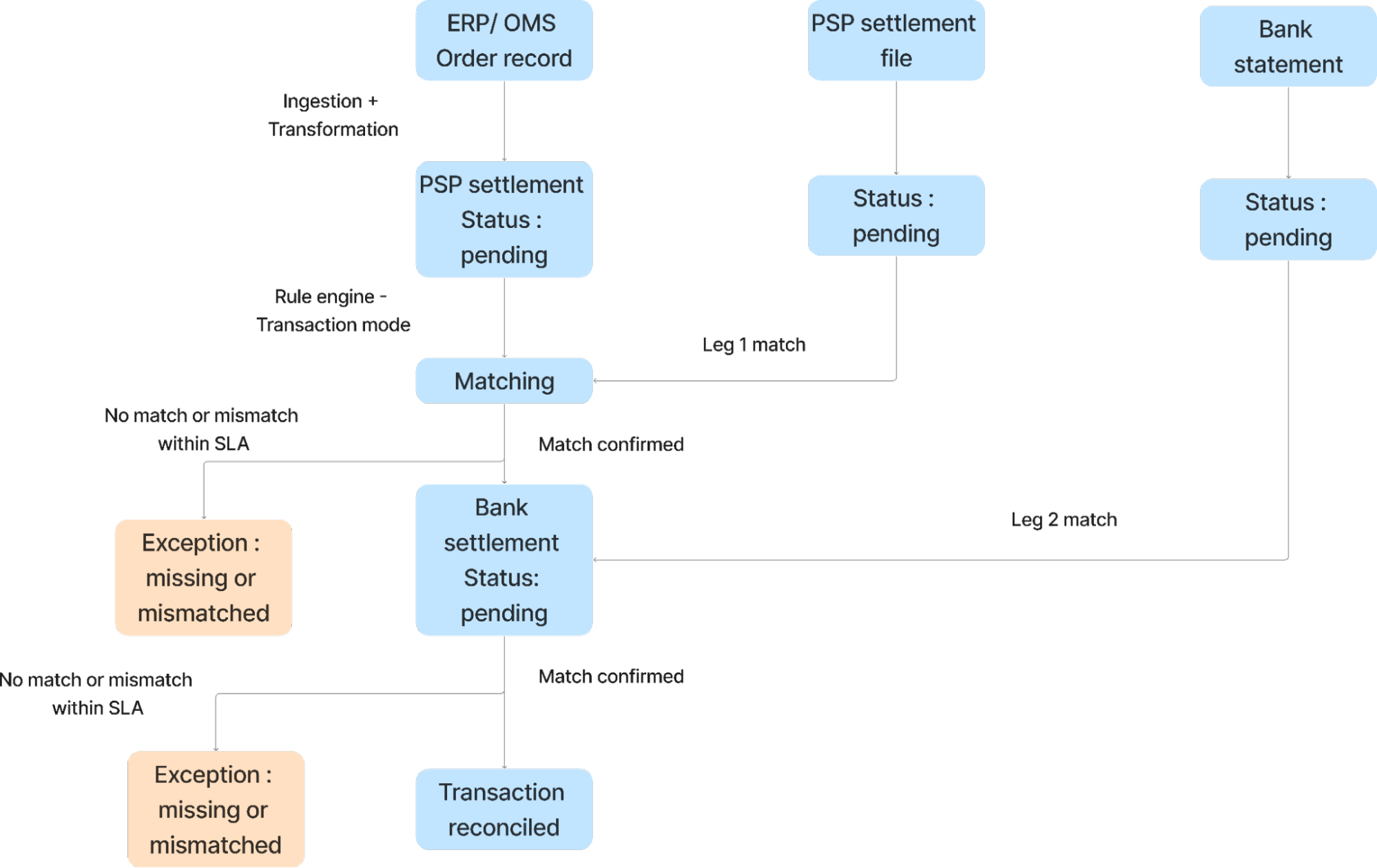
Leg 1 - Order to PSP: The order event from your ERP fires first. Hyperswitch's rule engine processes this in Transaction Mode - it creates an EXPECTED entry representing the PSP settlement that should arrive. When the PSP settlement file is ingested, the engine runs in Confirmation Mode: it searches for the existing EXPECTED entry using the configured identifier (typically order_id matched against original_reference), validates the rule conditions (amount, currency, status), and if all conditions pass, marks the entry POSTED. A new EXPECTED entry is simultaneously created for the bank deposit.
Leg 2 - PSP to Bank: This leg fires when the PSP settlement batch has been confirmed and the bank file arrives. The engine matches the PSP net settlement amount against the bank deposit amount - but the identifier is not the transaction ID. It is the settlement_batch_id matched against the bank's batch_reference. This is an N:1 match: one bank deposit record corresponds to many PSP settlement records aggregated into the batch.
Hyperswitch's reconciliation engine owns the matching logic, expectation generation, and exception detection. The ERP owns the order record as the source of truth for order-side data. These are separate responsibilities — writing the reconciled status back to the ERP is an integration concern, and a failure in that integration does not affect the reconciliation engine's internal ledger state.
How data enters the engine: ingestion and format normalization
The first architectural decision in any reconciliation setup is how each data source connects and how format differences are absorbed. Hyperswitch supports three ingestion methods per source: SFTP (for scheduled file delivery from PSPs and banks), API (for real-time webhook-based ingestion), and manual upload (for sources without automated delivery or for backfill operations).
The critical design principle is source-level transformation isolation. Each data source - OMS, PSP, bank has its own transformation configuration: field mapping (renaming PSP-specific field names to the canonical schema), currency normalization (converting to a common denomination before matching), and date standardization (enforcing YYYY-MM-DD regardless of what the source delivers). These transformations are set up once per source and applied automatically to every subsequent file from that source. Adding a new PSP does not change the transformation configuration for any existing source downstream.
The ingestion pipeline passes through four statuses before data reaches the reconciliation engine: Pending (file queued), Processing (engine parsing), Processed (data ready for transformation), Failed (format or structure error). A separate transformation phase then runs: Pending → Processing → Processed (or Failed if a required column is empty or a mapping rule cannot resolve).
This two-phase approach - ingestion and transformation as distinct pipeline steps. This means a failed transformation does not corrupt the raw ingested file. The source data is preserved in its original form, and the transformation can be corrected and re-run without re-ingesting from the source.
Data quality validation: catching bad data before it reaches the engine
Before any record enters the reconciliation engine's staging area, Hyperswitch runs configurable data quality checks against each ingested file. These checks validate the data against a reference template - PSP_Payout_Metadata for a PSP settlement file, for example and surface structural failures that would otherwise cause silent matching errors downstream.
Three categories of data quality failures are detected:
Structural failures - required columns missing from the uploaded file. A PSP settlement file without a currency column cannot be normalized and cannot be matched. This failure is caught at validation, not at matching, which means the operations team sees the error immediately rather than discovering it as a wave of Currency Mismatch exceptions hours later.
Format failures - field values that don't conform to the expected schema. A date field in MM/DD/YYYY format when the engine expects YYYY-MM-DD will silently pass ingestion and fail at transformation. Catching it at validation surfaces the exact row (row 312 in the example above) and the expected format, enabling targeted file correction.
Data density failures - high null rates in critical matching fields. A transaction_id column with 72% null values cannot support 1:1 matching on that identifier. This is the most operationally significant validation: a file that passes structural and format checks but has sparse critical fields will produce false exception floods in the matching engine. Catching the null rate before the file is staged prevents that downstream noise.
What breaks when this step is skipped: A PSP settlement file with inconsistent date formatting reaches the staging engine. The transformation partially succeeds - rows with valid dates are processed, rows with invalid dates are not. The engine creates EXPECTED entries for the valid rows. The invalid rows never produce staging entries. The result is a class of PSP transactions that appear unreconciled - generating MISSING exceptions when the actual problem is a date format mismatch in the source file. This takes 15–30 minutes per incident to diagnose without the validation layer; it takes under 60 seconds with it.
How the rule engine generates and confirms expectations
Hyperswitch's rule engine operates in two modes depending on whether the incoming data is a source record (creating an expectation) or a counterparty record (confirming an expectation).
Transaction Mode - processes source-side entries (typically the order record from your ERP or OMS). When the engine evaluates an order record in Transaction Mode, it:
- Creates a direct debit entry in the Orders Account
- Generates an EXPECTED credit entry in the PSP Settlement Account - the anticipated settlement that should arrive
- Produces a searchable expectation record that Confirmation Mode will query when the PSP file arrives
The expectation exists before the PSP file arrives. This is architecturally significant: the EXPECTED status is that the order fired, and we are waiting for the PSP to confirm." The expectation is the assertion; the PSP file is the proof.
Confirmation Mode - processes counterparty entries (PSP settlement file, bank statement). When the engine evaluates a PSP settlement record in Confirmation Mode, it:
- Searches for an existing EXPECTED entry using the configured identifiers (e.g., order_id against original_reference)
- Validates the rule conditions: all configured field comparisons must pass (amount, currency, status)
- If all conditions pass: marks the entry POSTED, archives the previous EXPECTED version for the audit trail, updates account balances, and generates a new EXPECTED entry for the bank deposit (beginning Leg 2)
- If conditions fail: the entry moves to an exception state - Over Amount, Under Amount, Data Mismatch, or Currency Mismatch depending on which validation failed
Each rule contains three components: Filters (which staging entries this rule applies to, evaluated on standard and nested fields), Identifiers (the cross-system field mapping that links source to counterparty with fallback sequences if the primary identifier is absent), and Rules (the field-level comparisons that must all pass for a successful match).
Matching rule cardinality: 1:1, 1:N, N:1, N:M and which leg uses which
The shape of a matching rule whether it's one-to-one, one-to-many, many-to-one, or many-to-many is a configuration parameter in Hyperswitch, not a fixed architecture constraint. The same rule engine handles all four patterns. What determines cardinality is how the identifier fields are configured and what the source data actually looks like.
For US merchants, the two legs of a three-way reconciliation typically use different cardinalities:
Leg 1 (Order → PSP): 1:1 on transaction ID - Each order maps to one PSP transaction. The identifier is order_id → original_reference. If a customer's order generates one authorization and one capture, the PSP record carries the original order reference. This is a clean 1:1 match.
Leg 2 (PSP → Bank): N:1 on settlement batch ID and date range - Multiple PSP transactions settle as a single ACH batch deposit. The bank statement shows one deposit with a batch reference and value date. The PSP file shows many transactions, each carrying the settlement_batch_id they belong to. The rule identifies all PSP records sharing the same settlement_batch_id, sums the net amounts, and matches that aggregate against the single bank deposit record. The identifier is settlement_batch_id → batch_reference, with a date range condition to handle ACH timing variance.
The Order→PSP leg and the PSP→Bank leg are independent matching problems. A successful POSTED status on Leg 1 does not mean Leg 2 will succeed. PSP settlement batches aggregate multiple transactions, and the PSP→Bank leg requires N:1 matching on batch ID and date range, not on transaction ID. Configuring Leg 2 as 1:1 will produce a Data Mismatch exception for every transaction in every ACH batch on every settlement day.
The toll operator example illustrates this clearly:
- Leg 1 (Toll event → PSP) uses 1:1 matching on transaction ID because each toll event has one authorization.
- Leg 2 (PSP → Bank) uses N:1 matching on settlement batch ID and date range because all toll transactions from a given day settle as one ACH deposit. The legs are configured independently. Changing the cardinality of Leg 2 doesn't affect Leg 1.
Status state machine: from PENDING to POSTED
Every record in Hyperswitch's reconciliation pipeline carries a status that reflects its current position in the matching lifecycle. Understanding the state machine is necessary for diagnosing why a specific transaction appears unreconciled.
Ingestion + Transformation statuses (file-level):
| Status | Meaning |
| Pending | File queued for ingestion |
| Processing | Engine parsing or transforming the file |
| Processed | File successfully ingested and transformed |
| Failed | Format or structure error file not admitted to staging |
| Discarded | Audit version created when a Pending file moves to Processing |
Staging entry statuses (pre-reconciliation):
| Status | Meaning |
| Pending | Record waiting for the next reconciliation engine run |
| Needs Manual Review | Engine flagged potential duplicate or missing rule. Manual intervention required |
| Processed | Record successfully matched to a transaction |
| Void / Archived | Record cancelled or replaced during manual correction |
Transaction statuses (ledger-level):
| Status | Meaning | Auto or Manual |
| Expected | Transaction created in Transaction Mode, awaiting Confirmation Mode counterpart | Auto |
| Posted (Auto) | Fully reconciled by the engine — all debits equal credits, all metadata rules passed | Auto |
| Posted (Manual) | Operator-linked two transactions that the engine could not auto-match | Manual |
| Posted (Force) | Operator override of minor discrepancy e.g., PSP fee rounding difference of $0.01 | Manual |
| Expected (Missing) | Expected entry not confirmed within the configured SLA window | Auto |
| Over Amount | Counterparty amount exceeds source expectation | Auto |
| Under Amount | Counterparty amount below source expectation | Auto |
| Data Mismatch | Amounts balance but a secondary metadata rule failed | Auto |
| Currency Mismatch | Counterparty currency differs from expected | Auto |
| Partially Reconciled | Operator saved incomplete exception handling work | Manual |
| Archived | Superseded transaction preserved for audit trail | Auto |
One status deserves particular attention: Expected (Missing). It is a time-triggered UI alert generated when an Expected transaction has not been confirmed within the SLA window configured for that rule. The underlying transaction record retains Expected status in the database. The Missing flag appears in the interface when the SLA threshold is crossed. This means: if the SLA configuration for a rule is incorrect or absent, Missing alerts will not fire even when ACH settlements are genuinely overdue. SLA configuration is per-rule, not system-wide.
Exception management: detect, assign, and resolve across treasury, finance, and ops
Exceptions in Hyperswitch fall into two categories based on their root cause:
Mismatched exceptions - records exist on both sides (source and counterparty) but fail one or more matching conditions. These are data integrity problems: the PSP reports a different net amount than the order, the reference ID doesn't match, or the currency doesn't align. Mismatched exceptions require investigation - either the PSP file is wrong, the order data is wrong, or a processing error occurred.
Expected exceptions - one-sided transactions where the counterparty data hasn't arrived within the SLA window. These are timing problems. For US merchants, most Expected exceptions on the PSP→Bank leg are legitimate ACH timing artifacts (the PSP settled but the bank hasn't processed the deposit yet) rather than genuine errors. Distinguishing them requires checking the PSP settlement status and the ACH processing calendar.
The exception workflow in Hyperswitch is built around team-level ownership rather than individual ticket assignment:
Assign - exceptions are tagged to the team or person who owns the source: treasury owns bank-side exceptions, finance owns PSP fee discrepancies, agency ops owns order-side mismatches. Assignment is explicit and tracked, not inferred from queue position.
Track - each exception carries a status: Pending (assigned, not started), In Progress (under investigation), Resolved (matched, force-posted, or voided). The status is visible across all stakeholders in one dashboard without requiring cross-system coordination.
Audit - every action on every exception is captured immutably: status changes, reassignments, amount overrides, force-post decisions. The audit trail is append-only. A force-posted transaction that turns out to be a genuine error can be traced back to who approved the override, when, and with what justification.
This audit architecture is specifically relevant for US merchants subject to SOX compliance or external audit requirements. The reconciliation record is the Hyperswitch ledger, which carries the full history of every entry state transition from Pending through Posted or Archived.
Setup hierarchy: org, merchant, and profile isolation for multi-entity US merchants
Hyperswitch's reconciliation configuration follows a three-level hierarchy: Organisation → Merchant → Profile. For US merchants with multiple business units, subsidiaries, or processing environments, the profile level is where reconciliation rules are actually configured and profile-level isolation is what makes multi-entity reconciliation manageable.
Organisation is the top-level umbrella. The entity that owns all merchants and has visibility across all reconciliation data.
Merchant is the workspace boundary. Use merchant-level separation when different teams need separate access, a US subsidiary and a Canada subsidiary operating independently under the same parent. Merchant-level isolation controls who can see which data, not how the data is reconciled.
Profile is the configuration boundary. Each profile has its own ingestion sources, its own transformation rules, and its own reconciliation rules. This is the level at which reconciliation behavior is defined. A US merchant operating multiple toll lanes, or multiple storefronts under one brand, or one PSP per geography creates one profile per distinct reconciliation configuration. The profile is the unit of config isolation, not the merchant.
The practical consequence: a US merchant with five PSPs and three bank accounts can configure one profile per PSP-bank pair, with matching rules tuned to the specific settlement format and ACH timing of each pair. Adding a sixth PSP creates a new profile with its own ingestion and transformation config. It doesn't touch the other five profiles.
One configuration detail worth noting: the settlement_batch_id identifier for the PSP→Bank leg must be configured per profile, not per merchant. If a merchant has two profiles sharing the same bank account but different PSPs, each profile's Leg 2 rule must independently configure the batch identifier because each PSP uses a different field name for the batch reference in its settlement export. Profile A may use settlement_batch_id; Profile B may use payout_id. Both map to the bank's batch_reference field via each profile's own identifier configuration. This is the level of specificity that prevents cross-profile contamination of batch matching logic.
Key Takeaways
- Three-way reconciliation is two independent leg-matches: Order→PSP (typically 1:1 on transaction ID) and PSP→Bank (typically N:1 on settlement batch ID). They use different matching cardinalities and must be configured as separate rules.
- The EXPECTED entry is generated by the order event in Transaction Mode - before the PSP file arrives. The expectation pre-exists the settlement; Confirmation Mode proves it.
- The Missing flag on Expected transactions is a time-triggered UI alert based on SLA configuration, not a stored database status. If SLA thresholds are not configured per rule, Missing alerts will not fire for overdue ACH settlements.
- Data quality validation (missing columns, date format errors, high null rates) runs before staging, catching bad data at the source prevents silent exception floods in the matching engine.
- Profile-level hierarchy enables multi-entity US merchants to isolate ingestion, transformation, and reconciliation rule configuration per PSP-bank pair without cross-profile contamination.
- Exception management assigns ownership at the team level (treasury, finance, ops) with immutable audit trails for SOX and external audit requirements.
- Force-posting a transaction produces an audited ledger entry - the override is captured, traceable, and preserved in the Archived state of the prior transaction version.